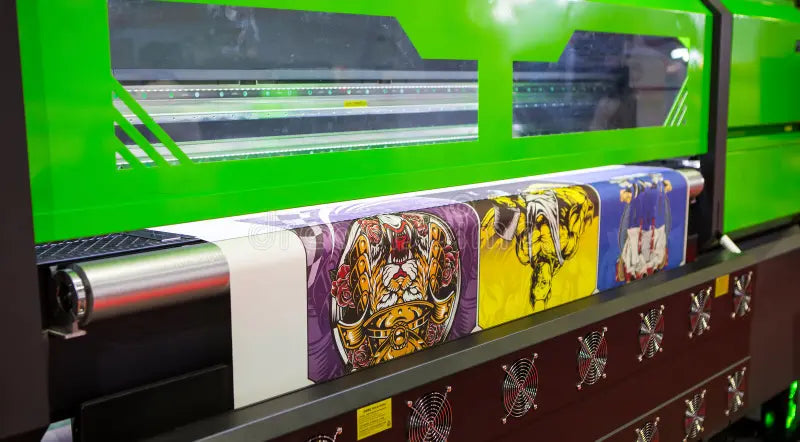
Sublimation printing and Cricut crafting have both become immensely popular with makers and small‑business owners, yet they serve distinct purposes. A sublimation printer transforms specially formulated ink into gas using heat and pressure; the gas then infuses directly into polyester‑based fabrics or polymer‑coated blanks, creating vibrant, permanent artwork that doesn’t peel or crack. By contrast, a Cricut machine is fundamentally a cutting device designed for vinyl, cardstock and paper. It doesn’t print; it draws or scores designs with pens and blades. Understanding these differences is essential when deciding whether you need both tools to achieve your creative ambitions.
Understanding sublimation printing
Sublimation printing is a unique transfer process that chemically bonds dye to a surface. The design is first printed onto special transfer paper using sublimation ink. Under the pressure and heat of a press, the ink turns into gas and penetrates the polyester fibers or polymer coating of items such as fabrics, mugs, metal plates or wooden panels. Because the ink becomes part of the substrate, the resulting image is smooth to the touch, vivid in color and extremely durable, withstanding repeated washes and use. This process requires blank items specifically made for sublimation; cotton or other natural fibers won’t hold the dye, and dark surfaces can obscure the design.
Understanding Cricut and Infusible Ink
A Cricut machine is not a printer—it’s a versatile cutting tool for creating vinyl decals, papercrafts and iron‑on transfers. Cricut’s “Print Then Cut” feature allows you to design an image in Design Space, print it on your home printer and then have the Cricut cut the shape precisely using registration marks. With this feature you can make stickers, labels, cards or sublimation transfers, but the printing relies entirely on an external inkjet printer. Cricut’s Infusible Ink sheets offer a simplified sublimation experience: they are pre‑printed sublimation transfer sheets you can cut on your Cricut and press onto polyester or polymer‑coated blanks. Infusible Ink creates vibrant, peel‑proof designs, but you are limited to the colors and patterns Cricut offers and cannot print your own photographs or custom artwork.
Cricut vs sublimation: do you need a sublimation printer?

Deciding whether to invest in a sublimation printer depends on your project goals. If you are content cutting vinyl decals, working with premade Infusible Ink sheets or creating basic iron‑on transfers, a Cricut machine alone may suffice. Sublimation printers, however, open a world of customization: you can print photographs, gradients, intricate artwork or logos with full color and fine detail. Unlike pre‑printed Infusible Ink, sublimation printing eliminates weeding and layering; your entire design is transferred in one press, saving time on complex projects. For high‑volume production or a crafting business, a sublimation printer provides flexibility and lower per‑print costs over time despite higher initial investment. Many crafters start with Cricut and later add a sublimation printer to expand product offerings.
How many DPI for sublimation printing?
Resolution plays a crucial role in sublimation quality. For large items such as T‑shirts or tote bags, a minimum of 150 dots per inch (DPI) produces acceptable results. For most standard projects—mugs, coasters or photo panels—300 DPI is recommended to ensure sharp edges and rich colors. Small items with fine details may benefit from 300–600 DPI; higher resolution provides smoother gradients and crisper text but increases file size and printing time. Whatever the DPI, always design at the actual print size to avoid pixelation when scaling. Resources like “Design Like a Pro: Creating Stunning Sublimation Graphics” offer more depth on design best practices and can be a valuable external reference for learning about sublimation artistry.
What DPI does Cricut use?
Because a Cricut doesn’t print itself, the DPI is determined by your home printer and the quality of your uploaded design. When using Print Then Cut for stickers or sublimation transfers, high‑resolution images of 300 DPI or higher yield crisp, professional prints. Cricut’s own direct‑to‑film (DTF) transfer service, which prints designs for you, likewise recommends using images at 300 DPI or above to achieve vibrant, detailed results. If your design falls below that threshold, the Cricut Design Space may flag it with a low‑resolution warning. In practice, you should create your artwork at the size you plan to print it and ensure it meets or exceeds 300 DPI before sending it to your printer.
Is 300 DPI or 600 DPI better for printing?
Both 300 DPI and 600 DPI can produce high‑quality sublimation prints, but the choice depends on the type of image and the capabilities of your printer. Most dye‑sublimation printers default to 300 DPI, which provides smooth continuous‑tone output that hides individual dots. Printing at 600 DPI can improve the sharpness of vector graphics or small text, but it takes longer and may not produce a noticeable difference on photographic images. In fact, some photographers prefer 300 DPI because it smooths skin tones and speeds up production. Unless you are working on miniature items with very fine lines, 300 DPI is typically sufficient for sublimation.
What Cricut supplies do I need for sublimation?
If you want to pair Cricut with sublimation, you’ll need a few key supplies:
| Supply | Purpose |
|---|---|
| Cricut machine (Explore, Maker or Venture) | Cuts designs, vinyl or Infusible Ink sheets with precision |
| Cricut Infusible Ink transfer sheets or markers | Provides premade sublimation designs for simple projects |
| High‑quality blanks | Items with polyester fabric or polymer coating, such as T‑shirts, mugs and coasters |
| Heat press or Cricut EasyPress | Applies heat and pressure to transfer the design |
| Pressing mat, butcher paper, craft knife and lint roller | Protects surfaces, prevents ghosting and ensures clean transfers |
For true custom sublimation projects, you’ll also need a dedicated sublimation printer, sublimation ink and transfer paper. As you grow, you might experiment with specialized DTF Inks, advanced DTF Printers or professional‑grade MIMAKI Inks and Mutoh Inks to diversify your offering.
Cost considerations and business potential

Cricut machines have relatively low entry costs—new models range from about $100 to $400. Infusible Ink sheets and markers start around $12–$16 for small packs, and you can use any compatible heat press. Sublimation printers, by contrast, are a larger investment: reputable printers like Sawgrass or Epson converted models run $600–$1,500, and you’ll need a heat press and blanks. The higher startup cost is offset by flexibility and lower per‑print costs once you begin selling customized items. Business owners appreciate that sublimation allows printing full‑bleed designs, photos and logos with professional results. The upgrade from Cricut to sublimation can be a natural step when you’re ready to turn a hobby into a side hustle or online shop. Pairing your setup with high‑quality consumables like DTF Inks or specialized MIMAKI Inks can further improve the durability and color fidelity of your products.
Tips for combining Cricut and sublimation
The real magic happens when you use both tools together. Here’s a workflow to maximize creativity:
-
Design your artwork. Create your design in Cricut Design Space, Adobe Illustrator or another program. Include photos, text and vector elements.
-
Print with a sublimation printer. Mirror your design and print it onto sublimation transfer paper using high‑quality sublimation ink at 300 DPI or higher.
-
Cut embellishments. Use your Cricut to cut additional vinyl accents, stencils or shapes from Infusible Ink sheets for layered effects.
-
Press the design. Apply the sublimation print to your blank using a heat press. Then apply the Cricut‑cut overlays if desired.
-
Experiment and expand. Try DTF transfers for cotton fabrics, explore specialized inks like Mutoh Inks for wider color gamuts, and reference expert guides like “What is Sublimation Printing and How Does it Work?” for technical insight.
Combining Cricut and sublimation widens your creative toolbox, allowing you to produce colorful mugs, photo shirts, puzzles, ornaments or layered mixed‑media projects. The key is to match your design methods to your materials and equipment, embrace experimentation, and invest in high‑quality consumables such as DTF Inks or DTF Printers when you’re ready to scale.