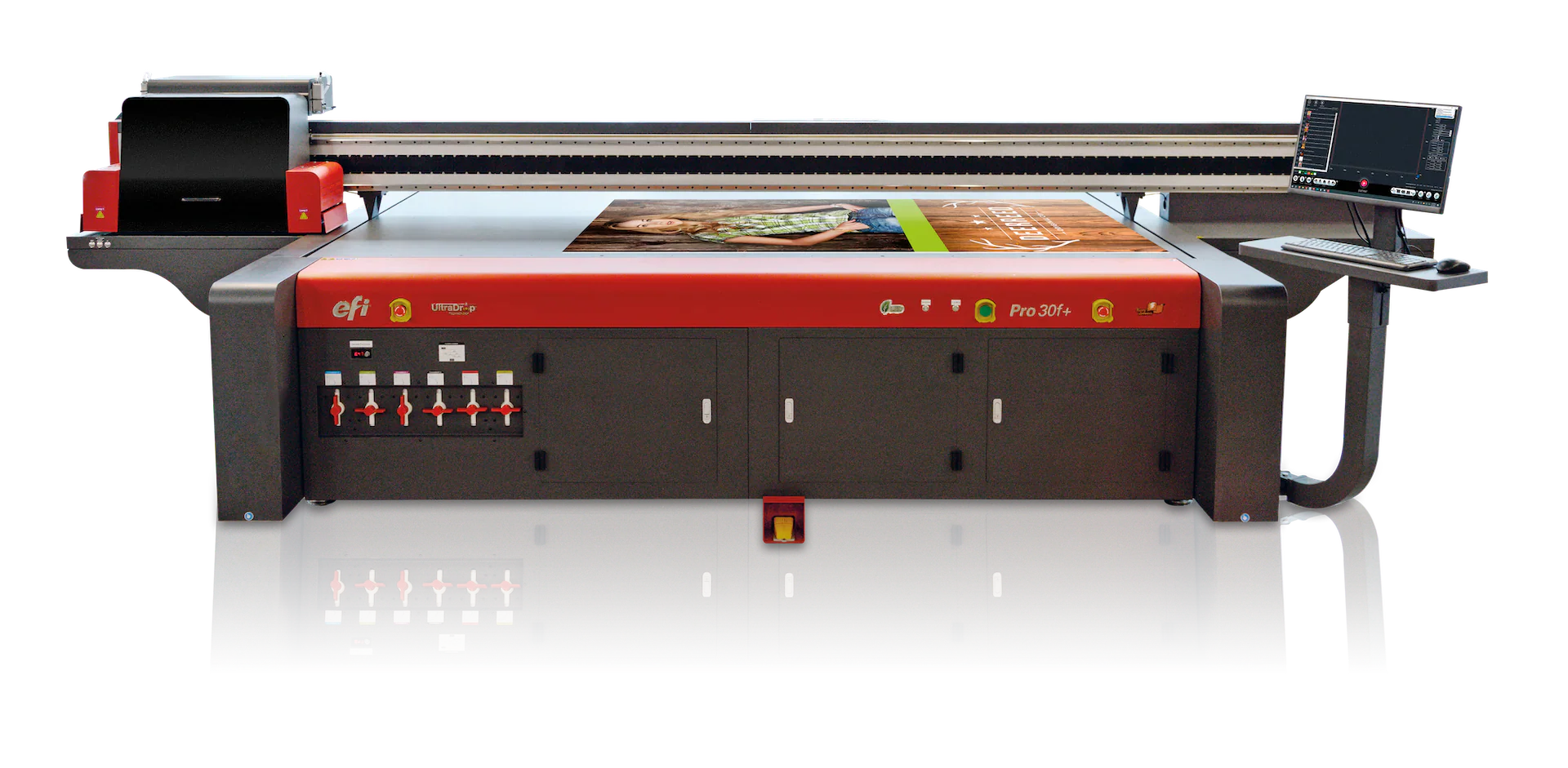
I still remember the first time I walked into a shop with a UV flatbed printer humming along. It was like watching magic—images were appearing on wood panels and acrylic signs without any drying time. At DPI-Supply we field questions every day from customers who are excited about this technology but nervous about the price tag. The truth is that flatbed UV printers span an enormous price range, and figuring out where your needs and budget fit isn’t easy. In this guide I’ll walk you through the costs, hidden expenses, lifespan and common issues so you can make a smart investment. Along the way I’ll share my own experiences and point you to trusted resources.

Understanding UV Flatbed Printer Costs
Before diving into specific models, let’s talk about how the market is structured. UV flatbed printers are sold in several tiers. According to manufacturer data compiled in 2025, small desktop UV printers (A4–A3) start at around $2,000–$8,000, mid‑size A2–A1 machines cost $8,000–$25,000, and large flatbeds (A0 or bigger) jump to $25,000–$80,000+. Industrial‑scale equipment built for multiple shifts can easily exceed $80,000–$300,000. The huge span comes from differences in print area, speed, construction quality and ink systems. Customers often ask whether they need to spend six figures to get into UV printing; most don’t. I’ve seen boutique shops succeed with a $10,000 desktop unit, while large sign companies run industrial models around $100,000.
To help visualize how these categories compare, here’s a quick overview:
| Category | Typical Price Range | Examples & Ideal Use Cases |
|---|---|---|
| Entry‑level (Desktop) | $2K–$8K | A4‑ to A3‑format printers for phone cases, awards, Etsy shops and small signage. Compact and affordable. |
| Mid‑range (Benchtop & Small Flatbed) | $8K–$25K | A2‑ to A1‑format units with bigger beds and higher throughput. Great for printing on wood, acrylic, metal or glass for retail displays. |
| Large format | $25K–$80K+ | 4′×8′ and similar printers with vacuum beds and white/varnish options. Used for signage, panels, packaging prototypes and industrial parts. |
| Industrial production | $80K–$300K+ | Designed for high‑volume operations, multiple shifts and automation. Often include roll‑to‑roll attachments, large ink reservoirs and heavy‑duty components. |
These ranges are broad because there’s no single “standard” UV flatbed. As you move up each tier, you’re paying for more durable printhead technology, bigger print beds, advanced color channels (white, clear varnish), and productivity features like auto‑height adjustment and vacuum hold‑down systems.
How much does an UV flatbed printer cost?

When someone asks me “How much does a flatbed UV printer cost?” I always start with their intended projects. Small shops customizing phone cases or tumblers can thrive on a $5,000–$15,000 desktop machine. These entry‑level units offer professional‑quality output on a small footprint. Mid‑range printers cost $20,000–$70,000 and add features like larger beds (e.g., 30"×13" or 4′×8′), white and gloss inks, vacuum tables and faster throughput. Industrial models leap to $80,000–$250,000+ and are built to run multiple shifts with automation, large ink reservoirs and hybrid roll/flatbed capabilities. An expert buyer’s guide from ABT notes that UV printers across the entire market range from $5,000 to over $250,000.
Keep in mind that brand reputation also affects pricing. Well‑known names like Mimaki, Roland, Canon and EFI command higher prices but generally offer better support and resale value. Off‑brand or Chinese‑made machines may seem like a bargain, but they sometimes lack consistent technical support and may not use readily available consumables. As a supply company we’ve helped customers salvage cheap imports that stopped working after a year; the savings disappeared when replacement printheads were nowhere to be found.
Factors Influencing UV Printer Prices
Understanding the price brackets is only half the battle; you also need to know what drives the cost:
- Print bed size. Larger beds allow you to print big signage or multiple pieces at once, but they add cost for the frame, vacuum table and gantry system.
- Printhead technology. Industrial‑grade heads (Ricoh, Kyocera, Epson i3200) deliver higher speed and durability but cost more. Budget units often use consumer‑grade heads that require more frequent replacement.
- Color channels. Printers with CMYK + white + varnish enable printing on dark or transparent materials and add textures and gloss. Standard four‑color machines cost less but may not offer these premium effects.
- Automation and software. Features such as automatic height adjustment, multi‑layer printing, RIP software integration and vacuum hold‑down increase productivity and price.
- Build quality and brand. Sturdier frames, linear guides and industrial electronics last longer. Brands like Mimaki and Canon generally cost more but provide better service and spare parts availability.
- Accessories. Options such as rotary attachments for bottles, extra printheads or roll‑to‑roll kits add to the purchase price.
If you intend to print on a wide range of substrates, the ability to use white ink and varnish is essential. Many high‑end printers use specialized inks like Mimaki UV ink, Mimaki LUS ink, Mimaki LH-100 ink and Mimaki UV cartridges, which support vibrant colors and specialty finishes. In our experience these inks offer consistent curing and help extend printhead life when paired with proper maintenance.
What is the lifespan of an UV flatbed printer?
A UV flatbed printer is a substantial investment, so it’s natural to ask how long it will last. Most industrial UV flatbed printers remain productive for three to five years, and high‑end models can reach seven years with diligent care. Environmental conditions play a big role: keeping the machine in a clean, temperature‑controlled space protects electronics and reduces wear. Usage patterns matter too; running a printer nonstop is harder on components than a balanced production schedule. Replacement parts availability often determines whether it makes sense to keep an older machine running.
Some sources note that a well‑maintained UV flatbed machine can last five to ten years. Key components have shorter lifespans: printheads may last 1–3 years, UV lamps 1–2 years, and belts or rollers 3–5 years. Always factor these replacements into your budget. Using high‑quality consumables such as Mimaki UV ink, Mimaki LUS ink, Mimaki LH‑100 ink and Mimaki UV cartridges can extend printhead life. At DPI-Supply we encourage customers to invest in premium inks because cheap alternatives often clog nozzles and reduce output consistency. Our UV inks are made here in USA and are closely OEM matched.

What are common problems with UV flatbed printers?
Even the best UV flatbed printers encounter issues. A recent industry survey lists the most common problems: printhead clogging, poor ink adhesion, banding or inconsistent print quality, UV curing problems, substrate height or collision errors, mechanical alignment drift, ink circulation failures, white ink sedimentation, software or RIP errors, and excessive maintenance downtime. Many of these issues stem from inadequate maintenance or environmental control.
The underlying causes are varied. For example, printhead clogging occurs when pigments and photo initiators in UV ink partially cure or settle due to infrequent use, dry shop conditions, stray UV light or poor capping station seals. Symptoms include missing nozzles, broken lines in nozzle tests, banding and color inconsistency. Prevention involves regular nozzle checks, maintaining humidity around 40–60 %, using automatic white‑ink circulation and cleaning capping stations. Poor adhesion can result from low surface energy substrates, incorrect curing settings or dirty surfaces. Banding arises from partial nozzle clogs, misalignment or contaminated encoder strips.
Many of these issues are avoidable with proactive maintenance. Daily nozzle checks, regular printhead cleaning (we have a saying, "Did you run it? CLEAN IT!), weekly encoder strip cleaning and scheduled calibrations are essential. Sticking to manufacturer‑recommended maintenance schedules will keep your printer running smoothly and extend its lifespan. And again, using high‑quality inks like our Mimaki UV ink and Mimaki LUS alternative ink helps prevent sedimentation and clogging.
What is the price of RT 2513 UV flatbed printer?
The RT 2513 refers to a class of large‑format UV flatbed printers with a bed size roughly 2.5 × 1.3 metres (about 98 × 51 inches). Several manufacturers produce machines in this format, including budget‑conscious Chinese brands and high‑end international names. Pricing can vary widely depending on configuration. For example, Mimaki’s JFX200‑2513—a well‑known 2.5 m by 1.3 m flatbed—has an MSRP around $74,995 and offers a print area of 98.4″ × 51.1″, 2‑inch material clearance and options for CMYK, white and clear coat inks. This printer is aimed at professional shops producing large signage, trade‑show displays and architectural elements.
Other 2513‑format printers from lesser‑known manufacturers can cost anywhere from the low $20,000s to the $50,000 range. These lower prices often come with trade‑offs in build quality, speed and after‑sales support. When comparing RT 2513 models, ask about printhead type, available color channels (white ink and varnish), warranty length and spare parts availability. Remember that cheaper machines may use printheads with shorter lifespans or require more frequent maintenance. If you plan to run high volumes, a higher‑end model with industrial components can pay for itself by minimizing downtime.
Budgeting for Ink and Maintenance Costs
The purchase price is only part of your budget. UV ink costs between $100 and $200 per liter, and consumption varies depending on coverage and print mode. White ink and clear varnish typically use more material. Printhead replacements can cost $1,000–$5,000+ each. Higher‑quality heads last longer, but they still wear out. Don’t forget RIP software licensing, cleaning supplies and spare parts. In my experience, businesses that fail to budget for consumables often end up underpricing their services.
Maintenance time is another hidden expense. Daily tasks like wiping the printhead, shaking white‑ink cartridges and running nozzle tests take a few minutes but prevent major downtime. Weekly and monthly tasks include cleaning the encoder strip, lubricating rails, inspecting UV lamps and recalibrating the bed. Some shops neglect maintenance to save time, only to face clogged nozzles or mechanical issues that halt production. I’ve learned that a disciplined maintenance routine costs less than emergency repairs. Again, did you run it? Clean it!
Tips for Choosing the Right UV Flatbed Printer
With so many options, how do you choose the right machine? Here are some pointers based on my years at DPI Supply:
- Define your primary applications. Are you printing phone cases and trophies or 4′×8′ signs? Match the printer’s bed size and throughput to your typical jobs. A mid‑range printer might handle both, but a large industrial unit is overkill for personalized gifts.
- Budget for growth. Choose a printer that can handle your current workload but leaves room for expansion. Moving up a tier may cost more, but it can save an upgrade later.
- Evaluate ink systems. If you need to print on dark or transparent materials, make sure the printer supports white ink and varnish. Premium supplies like Mimaki UV cartridges keep prints vibrant and protect printheads.
- Consider support and warranty. Look for vendors who guarantee spare parts for at least eight years, as limited parts availability can shorten a printer’s useful life. Ask about on‑site service, phone support and training. Our own support team loves working with customers to keep their machines running smoothly.
- Check total cost of ownership. Add up the purchase price, consumables, maintenance and potential downtime. Cheaper machines with high maintenance costs may end up more expensive than a pricier, reliable model.
- Research expert opinions. Reading unbiased guides—such as ABT’s 2025 UV printer cost guide—can help you understand market trends and compare models.
- Explore alternatives. If you primarily print onto garments or want a lower‑cost entry point, consider DTF (direct‑to‑film) printers. Our article How much is a DTF printer for beginners under $1000? compares models ideal for startups.
Final Thoughts: Investing Wisely in UV Printing
Flatbed UV printers unlock incredible possibilities, from printing on wood and glass to creating tactile textures with varnish. But they also require thoughtful budgeting and care. Prices range from a few thousand dollars for entry‑level units to well over $100,000 for industrial machines. The right choice depends on your production needs, the materials you plan to print on, and your long‑term goals. Don’t be lured by the lowest sticker price without considering printhead quality, bed size, color options and support. Investing in high‑quality consumables like Mimaki UV ink, Mimaki LUS ink, Mimaki LH‑100 ink and Mimaki UV cartridges protects your equipment and ensures stunning results.
At DPI Supply, we’re passionate about helping businesses find the perfect printing solution. Whether you’re outfitting a home studio or scaling an industrial workshop, we’ll work with you to match a printer to your budget and ambitions. Reach out if you have questions—we’ve been there, we’ve learned through trial and error, and we’re here to share our knowledge.