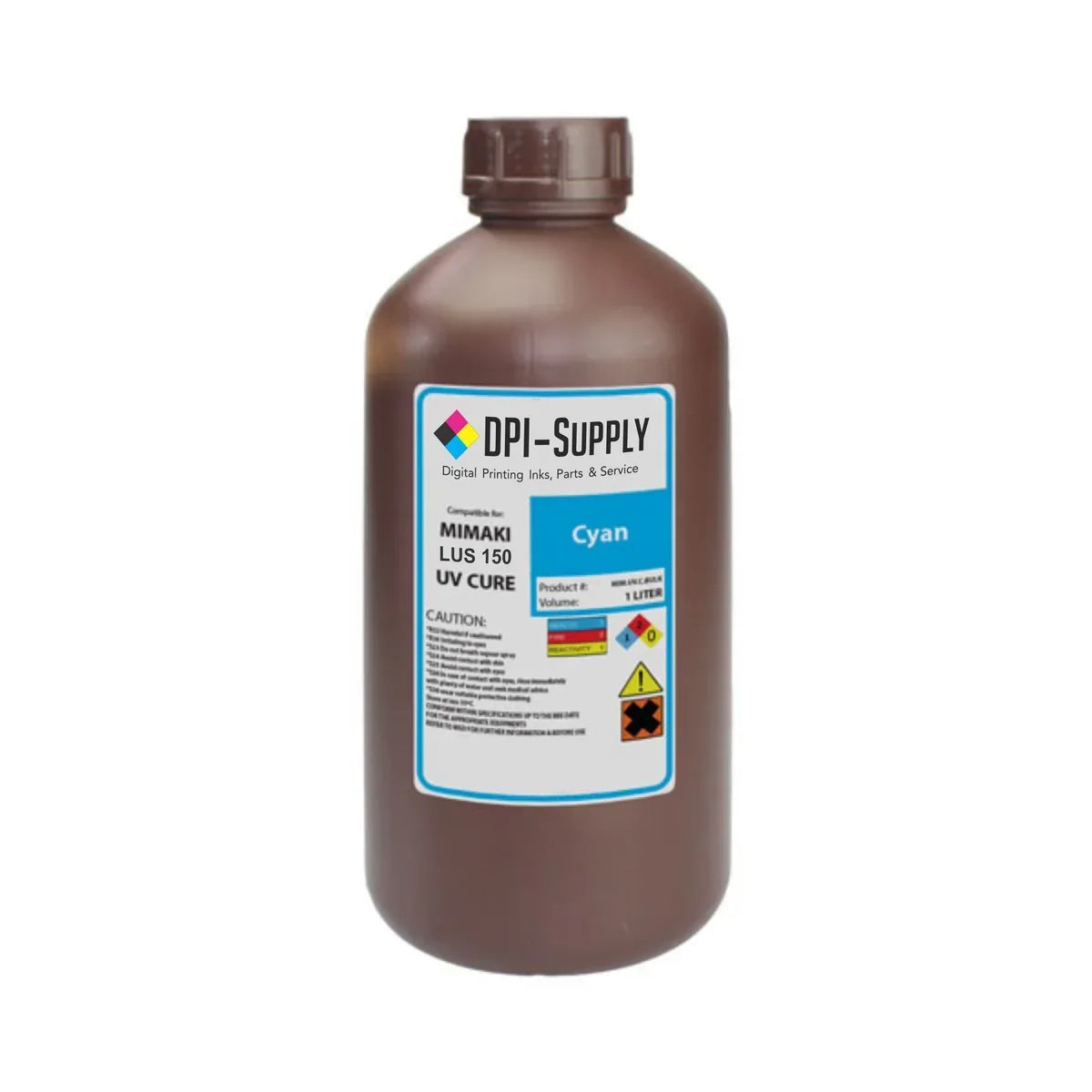
Choosing between LUS-120, LUS-150, and LUS-170 starts with one question: which ink is approved for your Mimaki printer and the type of material you actually print? This Mimaki LUS Ink Buying Guide: LUS-120 vs LUS-150 vs LUS-170 compares printer fit, flexibility, finishing needs, color configuration, and day-to-day production demands so you can buy the right ink instead of simply choosing by product number.
At DPI Supply, we have spent years around Mimaki equipment, not just selling bottles from a catalog. Owner Monty Hand became a certified Mimaki technician after decades in screen printing, then moved into digital ink in 2010. That background shapes the way we look at Mimaki LUS Inks: start with the machine, the substrate, and the finished product, then work backward to the ink.
Mimaki LUS Ink Buying Guide: LUS-120 vs LUS-150 vs LUS-170 at a Glance
All three are UV-curable ink families designed for compatible Mimaki printers, but they are not interchangeable just because they share the LUS name. UV ink cures under UV light, so pieces can move quickly into finishing.
| Ink | Best Known For | Common Workflow | Flexibility |
|---|---|---|---|
| LUS-120 | High flexibility and post-print bending | Compatible flatbeds and specialty printing | Up to 170% stretch after curing, depending on media |
| LUS-150 | Flexible output with lower tack | Compatible UJF/JFX flatbed workflows | Up to 150% stretch after curing, depending on media |
| LUS-170 | Flexible UV production on roll media | UCJV/UJV roll-to-roll and print-and-cut systems | Designed for flexible applications; confirm media compatibility |
The table is only a starting point. Ink sets and available white, clear, light cyan, or light magenta configurations vary by printer.
What Makes Mimaki LUS Ink Different?
Mimaki LUS products are flexible UV-curable inks. Unlike a harder UV ink film intended mainly for rigid boards, flexible LUS formulations are useful when the finished material may bend, cut, flex, or move after printing.
A print can look excellent off the machine but still fail if the cured ink layer cannot tolerate finishing or installation. Mimaki notes that UV-curable ink can also print on nonabsorbent materials such as plastics, glass, and metal. For a manufacturer overview, see Mimaki’s UV-curable ink guide.

When LUS-120 Makes the Most Sense
LUS-120 is one of the more flexible choices in the group. Mimaki describes the cured ink film as capable of stretching up to 170%, with actual performance depending on the material. That makes it attractive when printed pieces may be bent, formed, cut, or otherwise handled after they leave the printer.
LUS-120 is used across compatible Mimaki flatbed systems, including models in the JFX and UJF families. It can fit signs, specialty graphics, promotional items, and other work where a rigid ink film could be limiting.
One practical lesson from Monty’s years servicing and selling inks is that ink cannot compensate for poor maintenance. His rule is simple: “Did you run it? Clean it.” UV printing still creates mist and rebound around the carriage and printhead area, so cleaning after production helps protect the consistency you paid for.
Who Should Look Closely at LUS-120?
Consider LUS-120 if your compatible printer runs a flexible UV workflow and your finished jobs regularly experience bending or post-print movement. Do not choose it simply because “170% stretch” sounds better than another number; the printer model, substrate, and finishing process still come first.
When LUS-150 Is the Better Fit
LUS-150 is also a flexible UV ink, but Mimaki positions it around broad material compatibility and a relatively low degree of tackiness. The cured ink can stretch up to 150% under the manufacturer’s stated conditions, again with results varying by substrate.
That lower-tack characteristic can matter when handling the cured surface. LUS-150 is commonly associated with compatible JFX and UJF flatbeds used for signs, panels, specialty products, and mixed rigid or semi-flexible applications.
The biggest mistake is assuming every LUS-150 printer uses the same color setup. Depending on the model, configurations may include CMYK, white, and in some cases light cyan, light magenta, or clear. Check the exact printer and installed ink configuration before ordering.
LUS-150 Is About Balance
If LUS-120 stands out for flexibility, LUS-150 is often about balance: flexible enough for many post-print processes while serving a wide range of materials.
For buyers considering Replacement Inks, color matching and consistency become critical. Monty says one of the early challenges in the alternative-ink business was finding suppliers whose products could consistently perform at the level commercial print shops expected. He settled on suppliers only after testing color, durability, and long-term performance.
Where LUS-170 Fits
LUS-120, LUS-150 & LUS-170 may appear together on a product page, but LUS-170 often lives in a different production environment. It is commonly supported on Mimaki UCJV print-and-cut systems and UJV roll-to-roll printers, making it especially relevant for decals, labels, films, banners, and other flexible roll-media graphics.
LUS-170 can be available with CMYK, white, clear, light cyan, and light magenta depending on the supported printer. Its place in UV print-and-cut production is why buyers should think about workflow rather than assuming LUS-170 is simply a “step up” from LUS-150.
A UCJV shop can have very different needs from a JFX flatbed shop because media, finishing, and color configurations differ.

OEM Ink vs OEM Alternative UV Inks
The price of ink matters because it compounds quickly in a busy shop. Monty saw this firsthand with a customer who had been buying OEM Mimaki ink and faced another price increase. The replacement option dramatically reduced his consumable cost, and the customer continued using the alternative because the output met his production expectations.
That is why we focus on tested OEM Alternative UV Inks, not simply “cheap ink.” Monty has tested inks that looked fine for a short period but created problems later. Saving money on the bottle means little if poor jetting, inconsistent chemistry, or maintenance trouble causes downtime or printhead problems.
What matters is repeatable color, adhesion, curing, durability, jetting, and printer compatibility.
Can You Switch to a Replacement LUS Ink Without Reprofiling?
A well-matched replacement ink is designed to make the transition as uneventful as possible. DPI Supply’s goal is a plug-and-print replacement with color characteristics close enough to OEM that shops generally do not need to rebuild their entire workflow just to change ink brands.
Still, no supplier should promise every printer, profile, media, and production environment will behave identically. Run controlled tests on your common materials, confirm curing and adhesion, and watch critical brand colors when making a change.
After selling tens of thousands of gallons of ink, Monty’s view is straightforward: properly tested inks can deliver commercial consistency while lowering consumable cost.
Think Beyond the Ink Bottle
Ink cost is only one part of UV printing economics. Printer price, maintenance, cleaning supplies, printheads, media, labor, finishing, and downtime all affect the true cost of production.
If you are still evaluating equipment or the larger investment behind UV printing, read How Much Does a Flatbed UV Printer Cost? Budget Guide. It helps put ink pricing into context instead of treating consumables as a standalone expense.
How to Choose the Right LUS Ink Before Ordering
Start with the ink family approved for your printer. Then check your current color configuration, the substrates you run most often, whether the finished print must bend or stretch, and whether you rely on white, clear, or light colors.
Next, think about the work you actually sell. A flatbed shop producing panels and promotional products may need a different LUS family than a roll-to-roll shop producing decals and flexible graphics. The printer model is the gatekeeper, but the application tells you why that ink is the right fit.
Finally, do not separate ink choice from maintenance. Clean the printer whenever it runs, monitor nozzle health, and use the correct cleaning products. Good ink performs best in a printer that is treated like production equipment.
Final Thoughts: Buy for Your Printer, Not the Number on the Bottle
The best choice between LUS-120, LUS-150, and LUS-170 is the one that matches your Mimaki model and the products you produce. LUS-120 is known for strong flexibility, LUS-150 balances flexibility with lower tack and broad media use, and LUS-170 is a key option for compatible UV roll-to-roll and print-and-cut workflows.
That is the practical takeaway from this Mimaki LUS Ink Buying Guide: LUS-120 vs LUS-150 vs LUS-170. Verify compatibility first, consider how the print will be handled after curing, and choose an ink supplier that has tested the product beyond the first few prints. Saving on ink is valuable. Reliable production is worth even more.