If you're running a Roland TrueVIS printer, you need to know which ink configuration it uses before ordering replacement ink. Some run standard CMYK. Others use additional colors like Light Cyan, Light Magenta, Light Black, Orange, Green, or White. More colors don't automatically mean better printing; it depends on the jobs you're producing.
I've worked with digital printers since 2010 and became a Roland-certified technician in 2018. Good color comes from using the correct ink configuration, media profile, RIP settings and regular maintenance. Here's how I explain TR2 configurations to customers.
Which Roland TR2 ink configurations are available?
Eight ink positions don't necessarily mean eight different colors. A four-color configuration can use two pouches each of Cyan, Magenta, Yellow and Black. Roland offers other arrangements on specific TrueVIS models.
| Configuration | Colors | Main use |
|---|---|---|
| Dual CMYK | Two each: C, M, Y, K | Everyday signs and decals |
| Eight-color with Orange | C, M, Y, K, Lc, Lm, Lk, Or | Gradients and warm colors |
| Eight-color with White | C, M, Y, K, Lc, Lm, Lk, Wh | White-printing applications |
| Seven-color with Orange and Green | C, M, Y, K, Lk, Or, Gr | Expanded brand colors |
| Eight-color with Orange, Green and White | C, M, Y, K, Lk, Or, Gr, Wh | Expanded gamut and white printing |
Important: These configurations are supported across different Roland models, not on every TrueVIS machine. Check your exact printer and current arrangement before ordering. Changing configurations may require manufacturer-approved procedures and is not just a matter of swapping pouches.
Is eight-color printing better than CMYK?
Not automatically. If your shop produces signs, banners, window decals, vehicle lettering and labels, CMYK may be all you need. Additional light inks can help smooth tones in photographs and gradients. Orange and Green are for expanding the range of certain saturated colors. White ink is for specialty printing.

When do Orange and Green make a difference?
Standard CMYK can struggle with bright oranges, reds and greens. A logo may look great on the monitor but appear dull on vinyl. Sometimes that's a profile problem; sometimes the requested color is outside the printable gamut.
Orange and Green can extend the range of certain colors on supported configurations. That helps with corporate logos, wraps and brand-specific graphics. But no ink configuration guarantees every color match. Print a small proof on the actual material before a large run.

Stock update: DPI-Supply now stocks Roland TR2 Green replacement ink at our Columbus, Ohio location.

What about White TR2 ink?
White is useful for clear and colored materials, including a white underbase behind printed colors. It isn't simply another color for expanding a logo's gamut. White pigment requires special attention to the manufacturer's mixing, circulation and maintenance procedures. If you rarely print on materials requiring white, don't choose a White configuration just because it sounds more advanced.
Should artwork be RGB or CMYK?
One thing I always tell customers is that getting the right colors starts before the artwork reaches the printer.
When you create artwork in CorelDRAW, Illustrator, Photoshop, or another design program, you're working in a color space such as RGB or CMYK. The ICC profile describes what those color values mean. When you save or export the file, preserve or embed its correct color profile whenever the format supports it.
Here's where problems can start. When you import that artwork into Roland VersaWorks, the RIP needs to interpret the file using the correct input profile. If the file includes an embedded ICC profile, use VersaWorks' Use Embedded ICC Profile option when appropriate. Otherwise, make sure the RIP's selected input profile matches the profile used to create or export the artwork.
For example, if a file was exported in Adobe RGB, you don't want VersaWorks interpreting the same RGB numbers as sRGB. Colors can shift even though the artwork itself hasn't changed.
Once VersaWorks understands the incoming colors, it converts them using the printer's output/media profile, which is a separate setting for the printer, ink configuration, and material. The artwork's input profile and the printer's output profile are not supposed to be the same profile; each has a different job.
I've seen people spend hours adjusting colors or blaming ink when the real problem was a mismatch between the artwork profile and the RIP's input settings. My recommendation is simple: embed the right profile when exporting, check how VersaWorks reads that profile, then use the correct printer and media profile. If a customer's logo has to match, run a proof on the actual material.
Supporting documentation: Roland DG VersaWorks 7 — Customizing the Color Settings. Roland documents the input profile, output profile, matching methods, and the “Use Embedded ICC Profile” option.
Do 8-bit and 16-bit settings matter?
Bit depth describes digital tonal information, not the number of ink pouches. Higher bit depth can preserve subtle gradients during editing. Certain versions and workflows of VersaWorks 7 also support 16-bit RIP processing, but support depends on the file format and settings. A bit-depth change will not fix clogged nozzles, the wrong profile or unsuitable print conditions. Start with a nozzle test and the correct media profile.
What's the best profile for TR2?
There isn't one color profile that works best for every printer and material. Start with a profile intended for your Roland model, TR2 ink configuration, media, and print settings. Make sure VersaWorks is reading the artwork's input profile correctly, then choose the appropriate output media profile.
Here's something I recommend when you're trying to get the closest color match: print a Pantone color chart on the actual material you'll be using. Try the suitable media profiles and print settings, keeping everything else consistent, and compare the printed results with a current physical Pantone reference under consistent lighting. That gives you a practical way to see which profile produces the closest match for the colors your customers need.
Download the Pantone Coated color chart (PDF) to use as a test-print chart. The PDF's displayed colors aren't a substitute for an official physical Pantone color reference; the purpose is to print and compare actual results from your setup.
Once you find the settings that give you the best results, record the profile, material and print settings, and keep a physical reference print. That makes repeat orders much easier to match down the road.
Can you switch from OEM TR2 to DPI-Supply alternative ink?
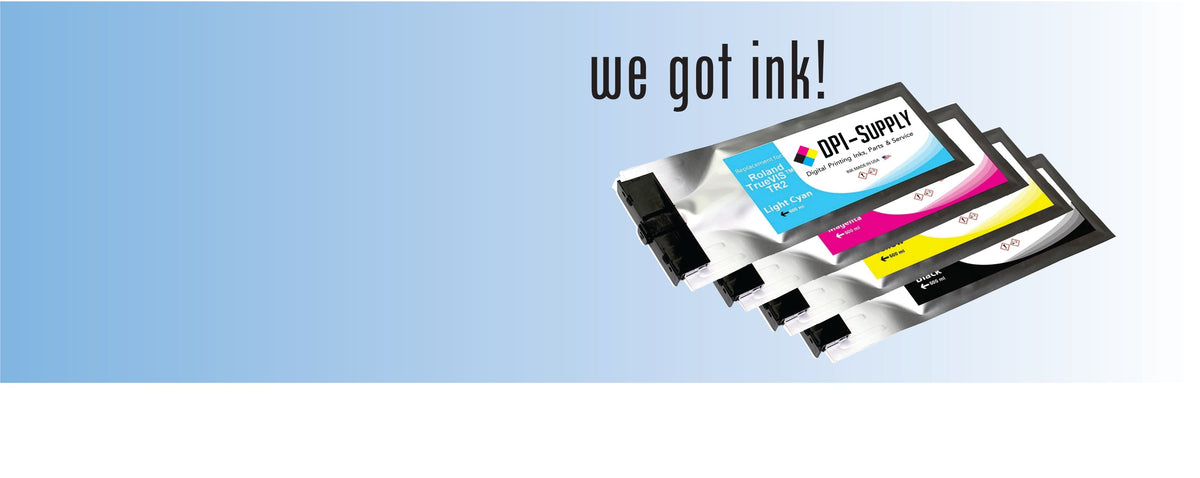
Our USA-made, OEM-matched TR2 replacement inks are designed for compatible TrueVIS printing systems. With a properly matched TR2-to-TR2 replacement, you normally don't need to flush the lines or build completely new profiles just because you're changing ink suppliers. That's different from converting an older printer from original TR ink to TR2. Confirm the exact model and ink configuration and test a familiar image before a large color-critical job.
See our Roland TR2 replacement ink collection and TR2 500 mL replacement ink product page for available colors and current pricing.
How much can alternative TR2 ink save?
Ink expenses add up in a busy print shop. I recommend considering total operating cost, not simply the cheapest pouch. Ink that leads to color problems or reprints isn't a bargain. I want ink that keeps producing sellable work, so you can finish the job and get paid. Compare today's pricing on the product page rather than relying on an old OEM price comparison.
Which Roland printers use TR2?
TR2 is used on compatible models in the VG2, SG2, VG3, SG3 and VF2 TrueVIS families, among others specified by Roland. Some first-generation VG and SG printers require Roland's approved conversion before using TR2. Original TR, TR2 and Eco-Sol MAX are different ink systems; never assume they're interchangeable.
For related information, read our TrueVIS SG2, VG3 and SG3 ink compatibility guide and TR2 vs Eco-Sol MAX: Which ink does your printer need?.
Don't overlook maintenance
One saying I use is: Did you run it? Clean it. That means following Roland's recommended inspection and cleaning procedures, not running unnecessary cleaning cycles. Ink mist and buildup around the printhead and maintenance area can hurt print quality. Check nozzle tests and take care of small problems before they turn into downtime.
Common questions
Is eight-color better for every shop?
No. Choose by the jobs you print, not the number of pouches.
Can I add Green to my CMYK machine?
Only if your model supports that configuration and you follow Roland's approved setup or conversion procedures.
Does White ink need more maintenance?
Yes. Follow the model-specific White ink handling and maintenance instructions.
Do I need to manually convert RGB art to CMYK?
Not always. VersaWorks can manage color conversion for supported RGB files.
Will replacement TR2 ink work with existing profiles?
Often, yes, when using a properly matched ink. Test your own material and color-critical work before committing to production.
Is TR2 cleaning solution a printing color?
No. It's a maintenance consumable, not an extra printing color.
My recommendation
Before buying ink, confirm your printer model and the colors already installed. CMYK can be the right setup for ordinary signs and decals. Expanded arrangements are useful for demanding colors, gradients or White ink jobs. For replacement inks, choose consistent print quality and dependable production over a low price alone.
Shop DPI-Supply Roland TR2 Replacement Inks
Quality Inks. Reliable Performance. Better Value.
Roland configuration references: Roland's VG2 Green expansion announcement and Roland VF2 ink configuration documentation.